
KY3 Weather
Gray MediaWeather
4.63.41K Reviews
- Version
- 6.2.512
- Installs
- 500.00K
- Age Rating
- Everyone
Screenshots
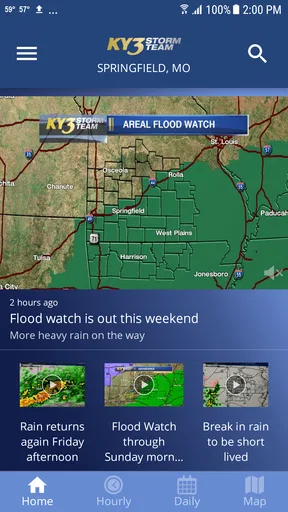
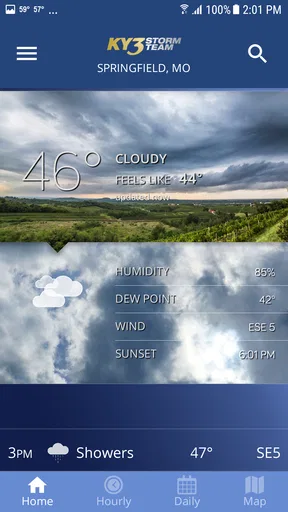
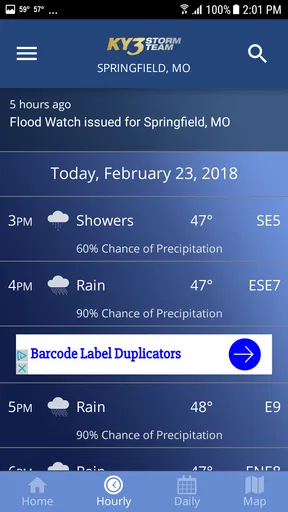
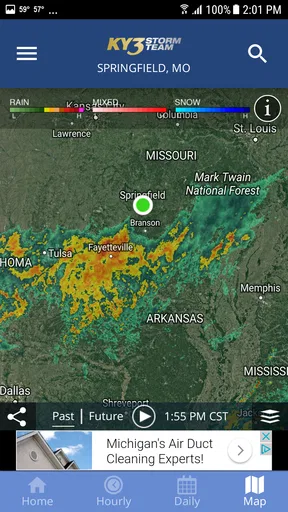
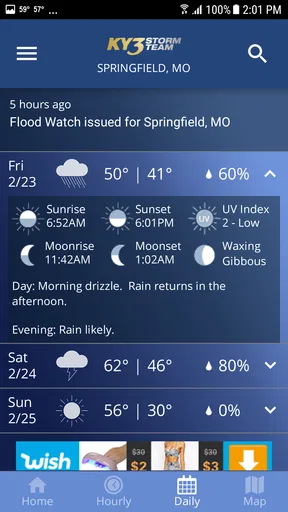
Our Review of KY3 Weather
 Analysis by Appyee
Weather apps are easy to overlook until a forecast affects everyone in the house. I found KY3 Weather most useful in those ordinary moments when one person is checking whether children need jackets, another is planning a drive, and someone else wants to know if outdoor work should wait. It is a free weather app from Gray Media, built around the KY3 Storm Team, and its focus feels practical rather than distracting.
My first impression was that it works best as a quick household reference. I could open it, check the current conditions, look ahead, and make a decision without turning weather into a long research task. That sounds simple, but it matters when the phone is being passed around or when several people are trying to leave at the same time. The app has an average rating of 4.6 from around 12 thousand ratings, with more than 500 thousand installs, so it has clearly found a regular audience.
How KY3 Weather fits into a shared household
A realistic example is a school morning. One adult checks the forecast while preparing breakfast, a teenager wants to know whether a hoodie is enough, and another family member is deciding whether to take an umbrella. With KY3 Weather available on a shared device, everyone can look at the same local weather source instead of comparing screenshots from unrelated apps.
I like this kind of use because the app does not need to become the center of household coordination. It simply gives people a common starting point. The person driving can check conditions before leaving, while someone staying home can look again later without asking the first user to repeat the forecast. That makes it particularly sensible for families, roommates, and shared tablets used in kitchens or living areas.
The useful boundary is that the app is a weather reference, not a family-planning system. It can help people decide when to leave, what to wear, or whether an outdoor plan deserves a second look, but it should not replace direct communication. If a storm affects a meeting point or a pickup plan, I would still send a message or make a call. A forecast can support coordination; it cannot confirm that everyone has seen the same plan.
What I would check before relying on it
I would first make sure the household knows which location the app is showing. Weather can change noticeably between nearby areas, especially when one person is at home and another is commuting. Before making a decision about travel or an outdoor activity, I would also check the forecast period rather than relying only on the current temperature.
That small habit prevents a common mistake: treating a pleasant moment as proof that the entire day will stay pleasant. The app is most useful when I use its information as a timeline. I look at what is happening now, what is expected later, and whether the change lines up with the time the household actually needs to act.
Another practical tip is to agree on a simple routine. For example, one person can check before school, another before the afternoon commute, and everyone can look again before evening plans. This avoids repeatedly asking someone else for an update and makes the app useful without demanding constant attention.
Setup on a personal or shared device
KY3 Weather is available at no cost and carries an Everyone content rating, which makes it comfortable to consider for a household phone or tablet. I would still treat the device itself as the important boundary. If several people use one phone, they are sharing whatever access that phone already provides; the weather app should not be mistaken for a separate family account space.
That distinction matters because a shared device can blur who is responsible for checking information. If a child uses the tablet to look at the forecast, an adult may still want to confirm the details before making a travel or safety decision. The age rating makes the app broadly approachable, but it does not turn a young user into the final authority on changing conditions.
I also prefer setting up the app around the places the household genuinely cares about. A home location is the obvious starting point, but a second place may be more useful when someone regularly travels to school, work, or a relative’s home. I would avoid filling the app with locations that nobody actually uses, because a crowded list makes quick decisions slower.
Since the current version is 6.2.512 and the minimum operating-system requirement is Android 9, compatibility is worth checking before installing it on an older spare phone. That is especially relevant in a household where an unused device becomes a kitchen display or emergency backup. A free app is only convenient if the device can run it comfortably.
The app has been available since September 22, 2011, which gives it a long presence in the weather-app space. I do not read that age as a guarantee that every household will love it, but it does make the app feel like an established local-weather option rather than a temporary experiment.
Coordinating plans without overcomplicating them
Where KY3 Weather helps most is in turning a vague question into a shared decision. Instead of asking, “Will it rain today?” I would ask, “What does the weather look like during the time we need to walk, drive, or work outside?” That shift makes the information more actionable.
For a family outing, I might check the forecast before leaving, then tell everyone the practical conclusion: bring a light layer, allow extra travel time, or move the activity indoors. The app supplies the weather context, while the household supplies the judgment. I find that division healthier than repeatedly refreshing the screen and expecting it to make the decision for us.
It can also reduce unnecessary disagreement. If two people are using different weather apps, they may see different layouts, wording, or forecast emphasis and assume one must be wrong. Using the same KY3 Weather view as a shared reference does not eliminate uncertainty, but it gives the conversation a common basis.
There is a trade-off here. A local station’s weather app may feel more relevant to someone who lives within its coverage area, while a broader national app may be more convenient for people who travel frequently across regions. If a household spends much of its time on the road, I would compare KY3 Weather with a service designed around multiple destinations before choosing one as the only weather tool.
For everyday local routines, however, a focused app can be easier to live with than a crowded general-purpose application. I would rather open one familiar screen for a quick morning decision than sort through maps, alerts, news, and unrelated content when all I need is a reliable sense of the day ahead.
Age, trust, and sensible supervision
The Everyone rating is a good fit for a household where different ages use the same device. A child can look at the weather out of curiosity, a teenager can check before cycling or walking, and an adult can use the same app for planning. The straightforward subject matter also makes it easier to explain what the information means.
Still, weather forecasts deserve sensible supervision when the consequences are serious. I would not ask a young child to decide alone whether it is safe to travel, stay outside, or change a pickup arrangement. The app can show useful conditions, but an adult should interpret them in context, especially when plans involve distance, darkness, water, or rapidly changing weather.
Trust is also about knowing the difference between a forecast and a guarantee. I appreciate the app as a planning aid, but I would avoid presenting any forecast as certain. If a household plan depends on precise timing, I would check close to departure and keep a backup option ready. That is not a criticism unique to KY3 Weather; it is simply the responsible way to use weather information.
For older relatives or less confident phone users, the app may be valuable because it gives them a direct way to check conditions instead of depending on someone else. I would spend a few minutes showing them which location to open and which part of the forecast matters for their routine. That small introduction can make shared-device coordination much smoother.
Where it feels strong in daily use
My favorite quality is its practicality. KY3 Weather makes sense for the person who wants to know whether to carry an umbrella, plan a morning walk, prepare for a commute, or postpone yard work. It is also a reasonable choice for a household that prefers a familiar local weather identity instead of a large app packed with features it may never use.
The free price removes an obvious barrier, and the Everyone rating makes it easy to consider for mixed-age households. The combination is appealing for a shared tablet, an older family member’s phone, or a backup device that needs one useful purpose. I also like that the app can become part of a routine without requiring everyone to create a separate system around it.
One non-obvious strength is that it can act as a conversation starter rather than merely an information display. When several people check the same forecast, they can connect it to actual responsibilities: who is driving, who is walking, who needs outdoor equipment, and who should change the timing. That makes the app more useful than a solitary glance at a temperature number.
Another strength is the balance between immediate checking and forward planning. I would not use it only to see the current conditions. The better workflow is to check the present situation, review the part of the day that matters, and then decide what action is needed. That three-step habit is simple, but it extracts more value from the app than repeatedly opening it without a plan.
Where another weather app may suit you better
I would hesitate to recommend KY3 Weather as the sole weather tool for someone who travels constantly, compares many distant locations, or wants a highly specialized weather workspace. A broad national or international service may be more convenient for that person, particularly if the local focus does not match where they spend most of their time.
I would also look elsewhere if someone wants weather to be deeply integrated with a larger personal dashboard. Some users prefer one app that combines extensive mapping, travel planning, widgets, and many layers of information. KY3 Weather is a better fit for a direct local check than for someone who enjoys building a detailed weather-monitoring setup.
There can be friction on shared devices too. If everyone opens the app with different expectations, one person may want a quick temperature check while another wants a broader planning view. The solution is not necessarily to abandon the app; it may simply be to agree on how the household will use it. But households that dislike shared routines may find separate personal weather apps less confusing.
The app should also be treated as one input, not as a substitute for judgment during important conditions. For ordinary planning, that is a manageable limitation. For high-stakes travel or outdoor decisions, I would check the latest information carefully and use direct communication alongside the forecast.
My household verdict
After using KY3 Weather as a practical local reference, I see it as a good choice for people who want weather information to support everyday decisions without turning the process into a project. Gray Media has positioned it around the KY3 Storm Team, and that local orientation is likely to matter most to users who live within the app’s intended service area.
I would recommend it to a household that shares devices, wants a free option, and needs a common place to check conditions before school, work, errands, or outdoor plans. The Everyone rating makes the age context uncomplicated, while the established release history and current version show that it is not a brand-new experiment.
I would skip it as my only weather app if I were frequently crossing regions, needed an advanced travel-oriented workflow, or wanted a large collection of specialized tools in one place. In those cases, a broader alternative may be more efficient. For a local household routine, though, that extra complexity may not be worth it.
My final advice is to use it deliberately: set the relevant location, check the forecast around the time your plan happens, share the practical conclusion with the people affected, and confirm important decisions close to departure. The best reason to install KY3 Weather is not simply to see the weather; it is to make everyday household planning a little clearer.
For me, that is enough to make it a worthwhile free weather app. It does not need to manage the family, replace conversation, or promise certainty. It only needs to provide a familiar, accessible reference that people can use together, and that is where KY3 Weather earns its place.
Verdict
Strengths of KY3 Weather
- Clear forecasts with radar, alerts, and hourly weather details
- Useful severe-weather notifications for the KY3 viewing area
- Local coverage includes community conditions and regional forecasts
- Simple layout makes current conditions easy to check quickly
- Video forecasts and updates add helpful context beyond basic data
Limitations of KY3 Weather
- Coverage is most useful mainly around the KY3 viewing region
- Some features may require location access to work accurately
- Forecast accuracy can vary during rapidly changing weather
- Alerts may feel frequent during active storm periods
- Advertising can make parts of the app feel less streamlined
Other Releases by Gray Media
View All
Telemundo Atlanta
News & Magazines4.3

FOX5 Vegas - Las Vegas News
News & Magazines2.9

WAFF 48 First Alert Weather
Weather4.6

FOX 8 Weather
Weather4.7
Similar Picks in This Category
View All
Weather - By Xiaomi
Xiaomi Inc.4.1

Weather & Radar Forecast
WetterOnline4.8

Weather
OneLouder Apps4.6

AccuWeather: Weather Radar
AccuWeather3.6

The Weather Channel - Radar
The Weather Channel4.6

1Weather Forecasts & Radar
OneLouder Apps4.3
Frequently Asked Questions
What is KY3 Weather, and what information does it provide?
KY3 Weather is a weather app focused on delivering forecasts and local weather information for the KY3 viewing area. After exploring the app, users can typically check current conditions, hourly and extended forecasts, radar imagery, severe weather alerts, and video updates from the KY3 weather team. It is especially useful for planning commutes, outdoor activities, and travel around southwest Missouri and nearby regions.
Does KY3 Weather provide severe weather alerts and emergency notifications?
Yes, severe weather coverage is one of the app’s main purposes. KY3 Weather can provide notifications for important conditions such as severe thunderstorms, tornado warnings, flash flooding, winter weather, and other hazardous events affecting selected locations. Users should allow notifications and location access if they want timely alerts. However, the app should complement, not replace, official emergency instructions and local authorities.
Can I use KY3 Weather to track radar and storms in real time?
The app includes weather radar features designed to help users follow rain, snow, and developing storms. Radar views can usually be animated so you can see the direction and movement of precipitation, while map controls may allow you to zoom in on your area. Radar data is helpful for short-term planning, although it may occasionally update with a delay or show less detail in remote areas.
Does KY3 Weather use my location, and can I add multiple locations?
KY3 Weather may request access to your device location so it can show conditions, forecasts, and alerts for where you are currently located. You can generally choose whether to grant location permission and may also be able to search for or save additional cities. If privacy is a concern, review the permission options in your phone’s settings and use manually selected locations instead of continuous location access.
Is KY3 Weather free to download, and does it require an internet connection?
KY3 Weather is generally available as a free download, although mobile data charges may apply depending on your carrier and plan. An internet connection is needed to load updated forecasts, radar images, videos, and alert information. Some previously viewed content may remain temporarily available, but users should not rely on offline data during changing conditions because weather information can become outdated quickly.
